
Monday, 26 Oct 2026
Rental Payment
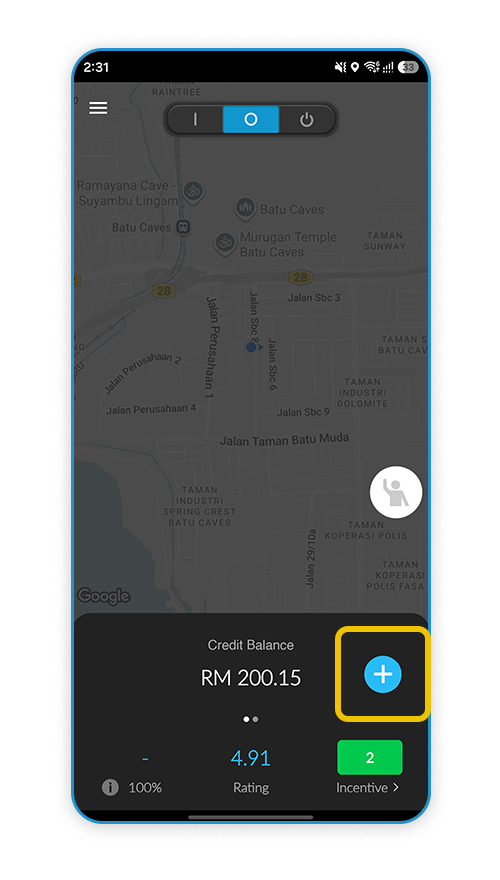
Step 1
Click "+" to Rental Payment.
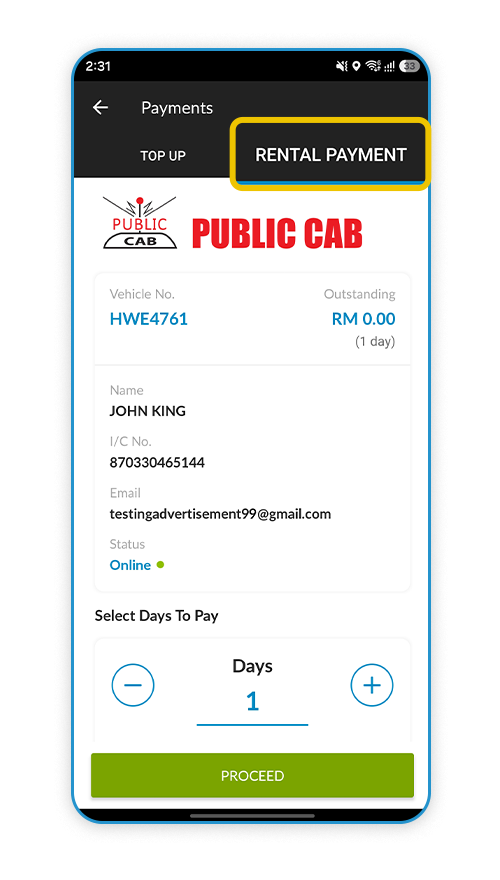
Step 2
Select "Rental Payment"
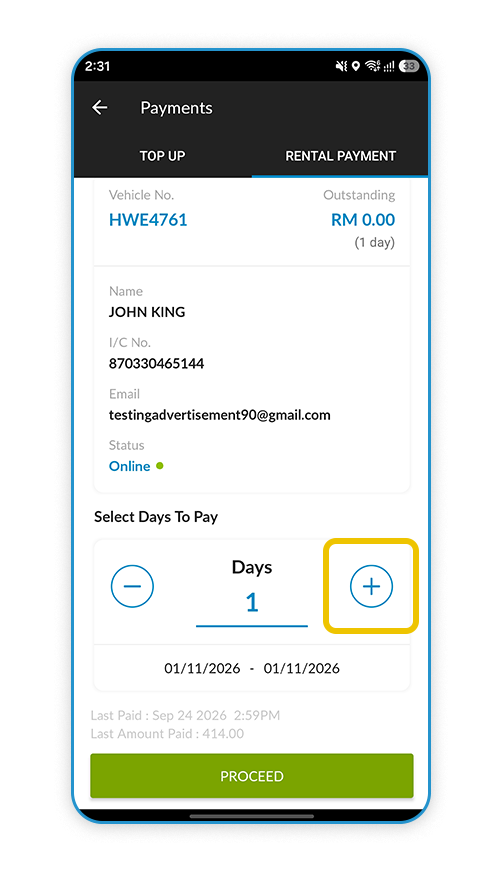
Step 3
Press "+" on how many days want to pay the rental
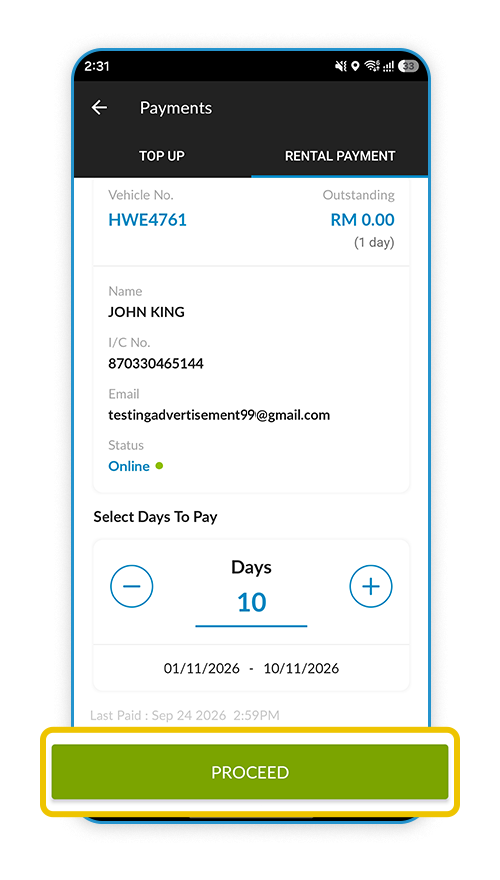
Step 4
After selected the day then press "Proceed"
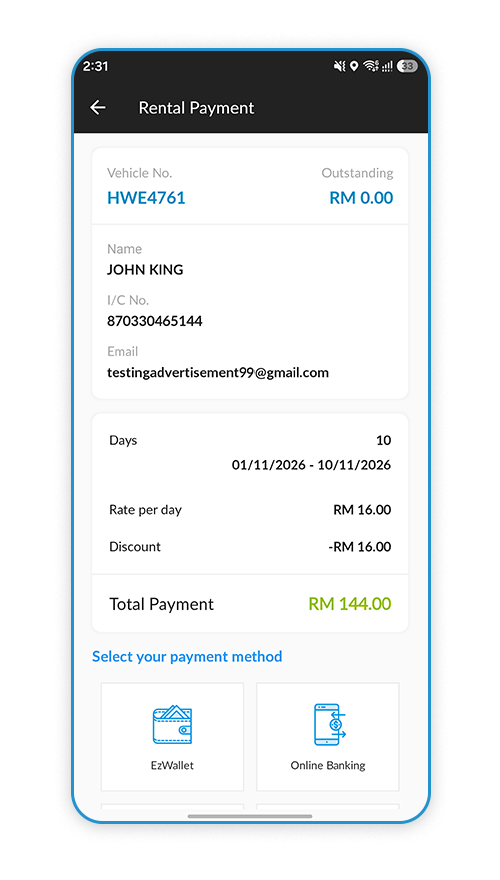
Step 5
It will display the outstanding of "Rental Payment"
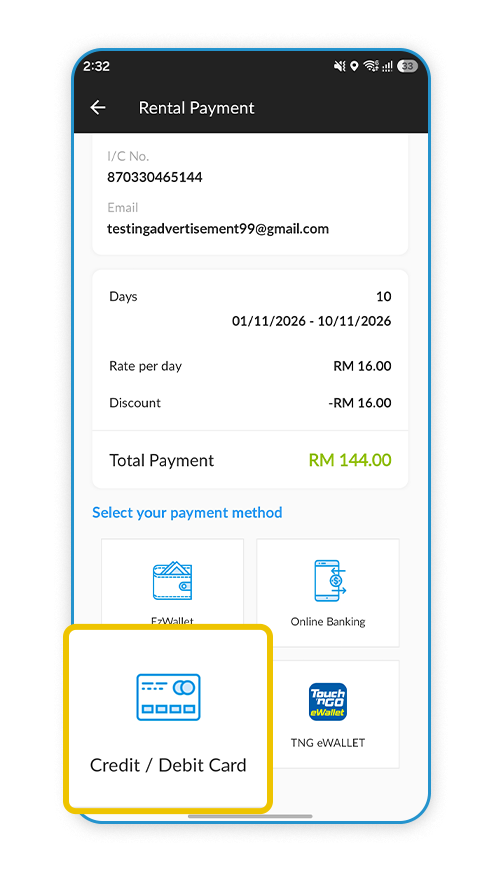
Step 6
Select the payment type to pay the rental
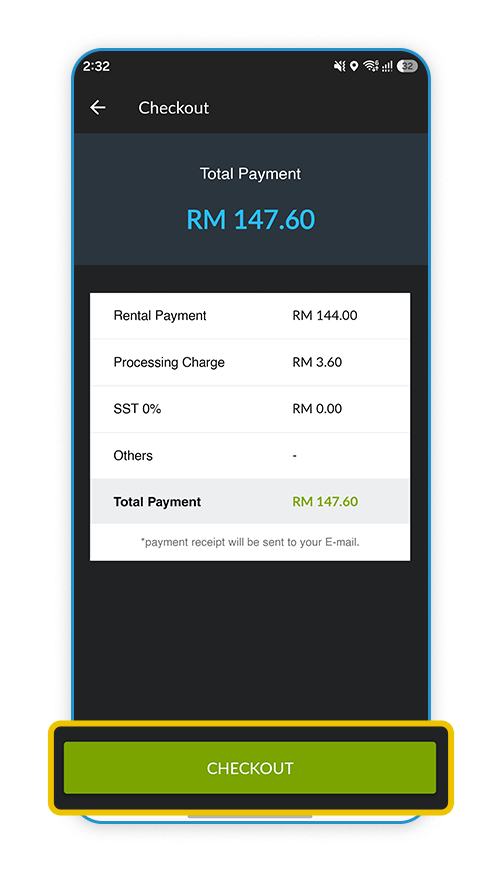
Step 7
Press "Checkout" to proceed payment
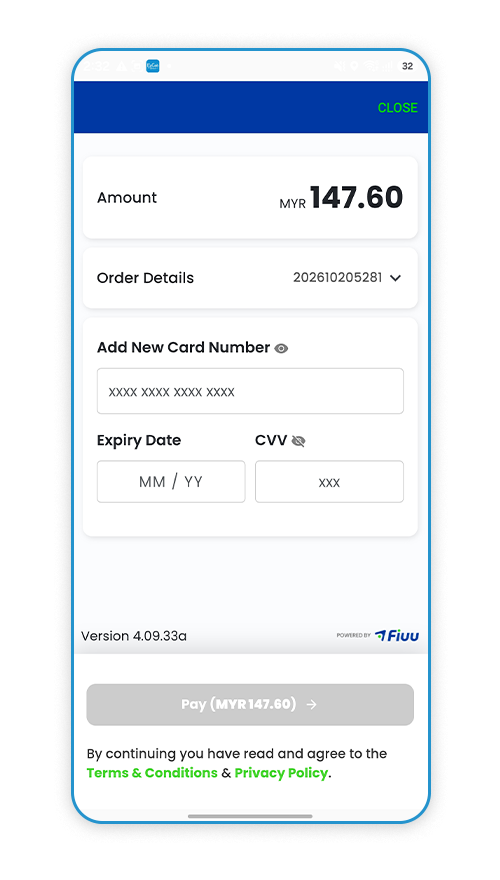
Step 8
Enter the payment details and press "PAY"